Managing projects effectively is one of the biggest challenges businesses face, and finding the right tools can make all the difference. If you're looking for a budget-friendly, flexible option, open-source project management software could be the solution. These tools offer powerful features to help teams stay organized, collaborate seamlessly, and track progress, all without the high costs of many paid solutions.
But with so many options out there, how do you know which one is best for your team? In this guide, we'll walk you through the top open-source project management tools that are making waves in 2026. We'll also take a look at some open-source project management software alternatives so that you can find the perfect fit for your unique needs and goals.
What is Open Source Project Management Software?
Open source project Management Software refers to project management tools and applications developed and distributed under an open-source license. "Open source" signifies a collaborative approach to software development, emphasizing transparency, community-driven collaboration, and shared knowledge.
Unlike project management software, where the source code is privately owned and accessible only to the company that created it, open-source software encourages collective contributions and improvements from developers and users worldwide.
|
“Open-source project management tools provide teams with the freedom to innovate without the constraints of proprietary software. These tools allow for greater customization, enabling teams to adapt the platform to their specific needs.” |
 |
Open-source project management software offers several key advantages:
- Transparency: The source code is visible to everyone, ensuring transparency in how the software operates. Users can inspect the code to understand its functionality, which fosters trust and accountability.
- Customizability: Users can modify the software to suit their specific needs. This flexibility allows companies to tailor the software according to their unique project management requirements, enhancing efficiency and productivity.
- Community Collaboration: Open source projects thrive on community contributions. Developers and users can collaborate, report issues, suggest enhancements, and improve the software, leading to rapid development and innovation.
- Cost-Effectiveness: Open-source software is typically free to use. This affordability makes it a great option for businesses and organizations, especially those with limited budgets or nonprofit initiatives.
- Security: The open nature of the source code permits security vulnerabilities to be identified and fixed promptly by the community, leading to robust and secure software solutions.
Top 10 Open Source Project Management Software
Open source project management software designed to enhance productivity and streamline project workflows. From Agile task management to comprehensive reporting and collaboration features, these tools offer flexible solutions tailored to diverse project needs.
Discover how these software options empower teams to manage projects effectively, optimize resources, and foster collaboration. 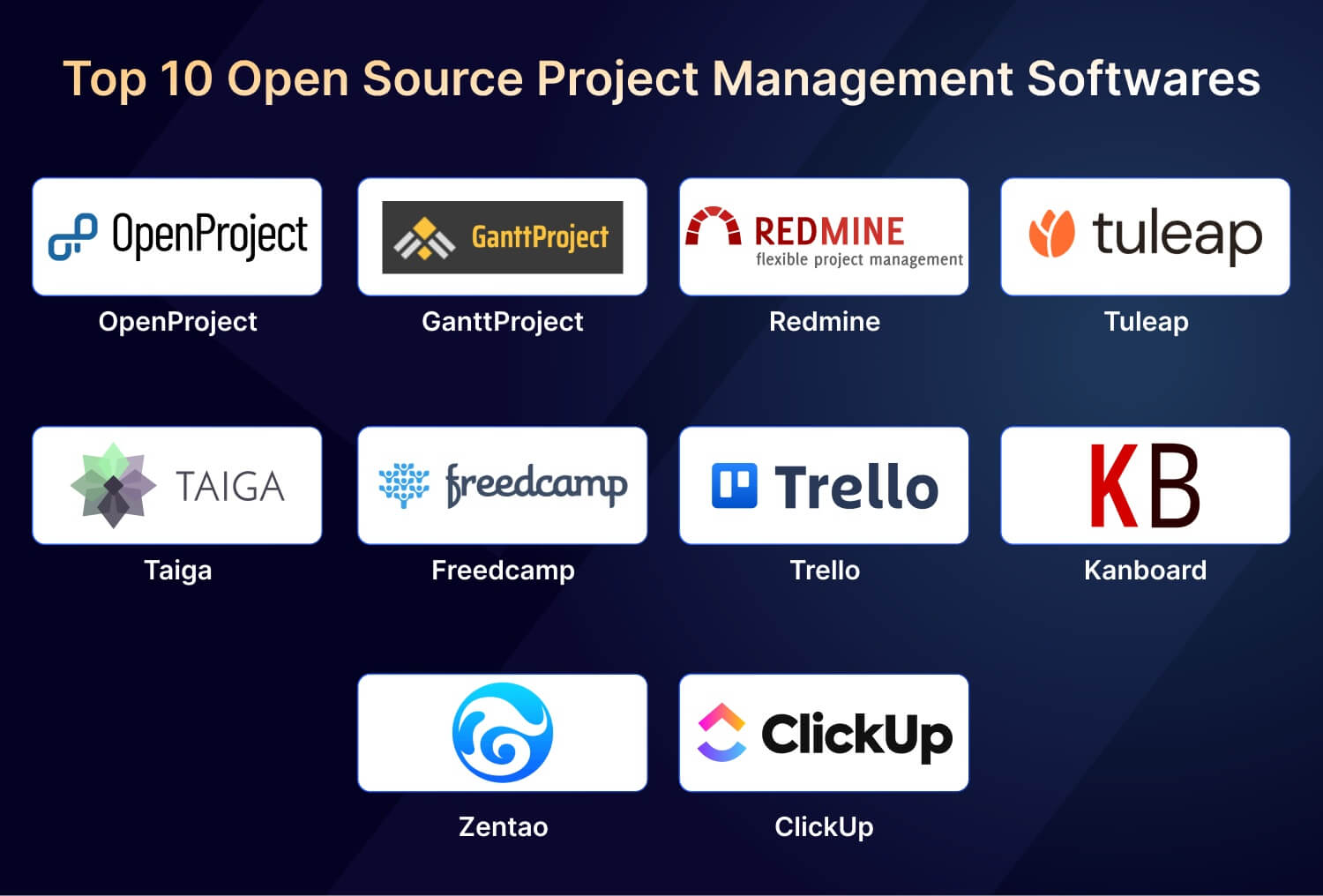
OpenProject

OpenProject is a powerful open-source project management software with many features, including task tracking, team collaboration, and detailed reporting. It allows users to create work packages, manage timelines using Gantt charts, and collaborate with team members. OpenProject's flexibility and customization options make it suitable for various project management scenarios.
Key Features
- Assists both classic and Agile project management
- Work package tracking
- Reporting and analytics
- Time and cost tracking
- Task management
Pricing
OpenProject is freely accessible to the community. For its cloud-based software, there are charges applicable.
- Basic: $7.25/month per user
- Professional: $13.50/month per user
- Premium: $19.50/month per user
Pros
- Encourages community collaboration and customization
- Offers diverse tools for various project needs
- Tailor fields and templates to specific project requirements
- Includes wikis, forums, and document management for effective communication
- Connects with version control systems and project management tools
Cons
- Extensive features may require time to master
- Navigation might be less intuitive for some users
- The selection of integrations could be more extensive
- Self-hosted versions demand substantial server resources
- Regular upkeep could be time-consuming for non-technical users
GanttProject

GanttProject is a desktop-based project management tool specializing in Gantt charts, enabling users to create tasks, define dependencies, and visualize project timelines. It is particularly useful for project planning, allowing users to allocate resources, set priorities, and track progress through visual representations.
Key Features
- Manage tasks through Gantt charts
- Task dependency management
- Generate printable reports and export projects to PDF format
- Export and import capabilities
- Cross-platform compatibility
Pricing
Free and open-source
Pros
- Freely accessible with collaborative community support
- Visualizes project timelines and dependencies efficiently
- Ensures correct task sequencing for effective planning
- Balances workload among team members for efficient task management
- Accessible on Windows, macOS, and Linux
Cons
- May lack certain advanced functionalities
- Requires time to master, especially for new users
- Focuses primarily on Gantt charts and tasks
- UI might be less intuitive than commercial tools
- Relies on community assistance, potentially less immediate
Redmine
Redmine is robust open-source project management software known for its versatility and extensive feature set. It supports both classic and Agile methodologies, making it suitable for a wide range of project types.
Users can track tasks, collaborate with teams, and effectively generate detailed reports to monitor project progress. Redmine offers flexibility through customizable fields and templates, allowing teams to tailor the software to their project requirements.
Key Features
- Supports both classic and Agile project management
- Task tracking with customizable workflows
- Reporting and analytics for project insights
- Time tracking and cost management capabilities
- Flexible role-based access control
Pricing
Redmine is freely available as open-source software.
Pros
- Encourages community collaboration and customization
- Offers a wide array of plugins to extend functionality
- Integrates with version control systems like Git and SVN
- Includes wikis, forums, and file management for effective team communication
- Provides a RESTful API for integration with other tools
Cons
- Initial setup and configuration may require technical expertise
- User interface design might appear dated to some users
- Customization options may require familiarity with Ruby on Rails
- Self-hosted deployments may need adequate server resources for optimal performance

Tuleap is an open-source application lifecycle management (ALM) tool with project management features. It offers Agile development tools, issue tracking, document management, version control, and collaboration features. Tuleap is tailored for software development projects, providing a comprehensive platform for managing every phase of the software development lifecycle.
Key Features
- Built-in risk management system
- Test management
- Version control
- Roadmap and release management
- Issue tracking
Pricing
Tuleap offers a free version, while its paid version starts at
- myTuleap: €13 per user per month (Up to 30 users)
- Premium Cloud: €25 per user per month (minimum 25 users)
Pros
- Offers Scrum and Kanban methodologies for flexible management
- Efficient system for task and bug tracking
- Integrated Git/SVN ensures code integrity
- Secure storage with collaborative editing features
- Highly adaptable to specific project requirements
Cons
- Advanced features may require time to master
- Might be less intuitive for some users
- Relies on community-driven assistance
- Resource usage impact, especially for larger projects
Taiga
Taiga is a powerful open-source project management tool that supports classic and Agile methodologies, making it versatile for various project management scenarios. It offers comprehensive features such as task tracking, team collaboration, and detailed reporting, ensuring teams can manage projects effectively from start to finish. Taiga allows users to create user stories, manage sprints using Kanban boards, and collaborate with team members.
Key Features
- Supports both classic and Agile project management methodologies
- User story tracking and backlog management
- Reporting and analytics for project insights
- Time tracking and budget management capabilities
- Task management with customizable workflows
Pricing
- Taiga Cloud Basic is for free
- Cloud-based solutions Taiga Cloud with Premium support costs around $70
Pros
- Promotes community collaboration and customization through open-source development
- Offers a variety of tools tailored to different project needs
- Allows customization of fields and templates to suit specific project requirements
- Provides built-in wikis, forums, and document management for effective team communication
- Integrates with version control systems and other project management tools
Cons
- May have a learning curve for teams new to Agile methodologies
- User interface design could be improved for better usability
- Limited built-in integrations compared to some proprietary software
- Self-hosted deployments may require significant server resources and technical maintenance
Freedcamp

Freedcamp is the best cloud-based project management tool that combines task management, file sharing, calendars, and discussions in one platform. It offers a straightforward interface and features like task lists, milestones, and time tracking. Freedcamp is suitable for both personal use and collaborative team projects.
Key Features
- Project collaboration
- Customizable templates
- Calendar and milestones
- Email-in tasks
- Kanban board
Pricing
Freedcamp offers a free version and a free trial period. Freedcamp's paid version starts at:
- Pro: $1.79
- Business: $7.49
- Enterprise: $16.99
Pros
- Accessible for small teams and individuals with essential features
- Intuitive design ensures quick adoption by team members
- Robust tracking, including assignments, due dates, and priority settings
- Helps manage deadlines and project events efficiently.
- Manage tasks and projects on iOS and Android devices
Cons
- The free version lacks advanced functionalities
- Limited options for seamless connectivity with other applications
- Some features may require time to explore
- Customer support may not be as comprehensive as premium tools
- Limited modifications for personalized user experience
Trello

Trello is a widely used project management tool known for its flexibility. It facilitates task tracking and team collaboration through customizable boards, lists, and cards. Trello is ideal for Agile project management, allowing teams to visualize workflows, assign tasks, and monitor progress in real-time. Its intuitive interface and extensive integration options make it a popular choice for teams of all sizes.
Key Features
- Visual task management with boards, lists, and cards
- Collaboration through comments, attachments, and activity tracking
- Integration with third-party tools like Slack, Google Drive, and JIRA
- Mobile apps for on-the-go accessibility
- Basic analytics for task completion and team productivity
Pricing
- Standard: $ 5
- Premium: $10
- Enterprise: $17.50
Pros
- User-friendly interface suitable for non-technical users
- Flexible customization with power-ups and automation features
- Seamless integration with popular tools for enhanced productivity
- Supports collaborative task management across teams
- Mobile apps ensure accessibility from anywhere
Cons
- Advanced reporting and analytics are limited in the free version
- Scaling may require multiple integrations, impacting simplicity
- Dependency on internet connectivity for real-time updates
Kanboard
Kanboard is a simple, open-source project management tool focused on the Kanban methodology. It’s designed to help teams visualize their workflows, track tasks, and manage projects efficiently. With its customizable boards, task dependencies, and cross-project visualizations, Kanboard provides a flexible solution for teams seeking a straightforward, no-cost way to streamline task management. While it lacks some advanced features found in premium tools, it remains a popular choice for small to medium-sized teams due to its simplicity and ease of use.
Key Features:
- Manage tasks with Kanban boards
- Customizable workflows to fit team needs
- Task dependencies and subtasks management
- Email and Slack notifications for updates
- Multiple project support with cross-project visualizations
Pricing:
- Free and open-source
Pros:
- Simple and user-friendly Kanban board design
- Highly customizable with plugins and integrations
- Ideal for small to medium-sized teams
- Easy to install and set up
Cons:
- Lacks some advanced features of premium tools
- Less polished UI compared to commercial alternatives
- May require additional plugins for full functionality
Zentao
Zentao is a robust open-source project management tool tailored for Agile and Scrum teams. It offers a complete suite of features, including task management, bug tracking, backlog management, and sprint planning. Zentao’s ability to handle the entire project life cycle from planning to delivery makes it an excellent choice for teams looking to adopt Agile practices. While it has a steep learning curve, its comprehensive feature set, multi-language support, and strong community make it a powerful option for teams seeking Agile-focused project management software.
|
“The real power of Agile comes from its focus on adaptability and flexibility. By using tools like Zentao for Agile management, teams can embrace continuous improvement and rapidly adjust to new challenges.” |
 |
Key Features:
- Comprehensive project management suite for Agile and Scrum teams
- Task and bug tracking, backlog management, and sprint planning
- User stories, requirements, and milestones management
- Real-time collaboration and reporting
- Integrates with Git, Jenkins, and other tools
Pricing:
- Free and open-source
Pros:
- Great for Agile and Scrum methodologies
- Supports full project life cycle from planning to delivery
- Rich feature set with task, bug, and requirement tracking
- Multi-language support and strong community
Cons:
- Can be overwhelming for new users due to its many features
- The user interface is not as modern as some commercial tools
- Limited third-party integrations compared to other tools
ClickUp

ClickUp, while not fully open source, offers a flexible, feature-rich alternative with an open-source version for teams that require a free, customizable solution. It provides an all-in-one platform for managing tasks, time, goals, and workflows, with options for collaboration, automation, and reporting. Known for its user-friendly interface and robust customization options, ClickUp makes it easy for teams of all sizes to tailor their project management processes. While the open-source version is feature-packed, advanced functionalities are only available with a paid plan, making it a scalable solution for growing teams.
Key Features:
- Task management, time tracking, and goal tracking
- Collaboration tools like chats, comments, and notifications
- Customizable views (List, Board, Gantt, Calendar)
- Workflow automation and integrations with other tools
- Custom fields, templates, and reporting tools
Pricing:
- Free version available; premium features available for paid plans
Pros:
- All-in-one solution for project, task, and time management
- User-friendly and highly customizable for different team needs
- Integrates with a variety of third-party apps and services
- Includes a powerful free version with robust features
Cons:
- The full range of features is available only in paid plans
- Some users report that the platform can become cluttered with too many features
- A learning curve for teams trying to set up complex workflows
Conclusion
Choosing the right open-source project management software can significantly enhance your team's productivity, streamline processes, and help meet project goals more efficiently. Whether you prefer simple tools like Kanboard for task tracking or comprehensive solutions like Zentao for Agile teams, there is an open-source option to suit every need. These tools not only provide flexibility and cost-effectiveness but also allow teams to customize their workflows, making them a great alternative to expensive commercial software.
If you're looking to deepen your project management knowledge or implement best practices in your team, consider exploring professional certifications. Courses such as PMP® Certification and Agile Scrum Master can help you gain the skills needed to lead successful projects. Additionally, training in tools such as Six Sigma or Lean Project Management can provide valuable insights into optimizing processes and improving project efficiency. These courses can empower you to implement open-source solutions effectively and advance your project management career.